For family historians

Your family tree, printed the way it deserves

Family Ledger Press turns a GEDCOM file from Ancestry, MyHeritage, Family Tree Maker, RootsMagic and others into reports ready to print or save as PDF. Make descendant reports, family group sheets, pedigree and fan charts, and relationship reports. Family Ledger Press is a single file on your computer that runs in your web browser. No internet connection is needed, and your family data never leaves your computer.

  • Five kinds of reports
  • No account or subscription
  • Nothing to install
  • Works offline
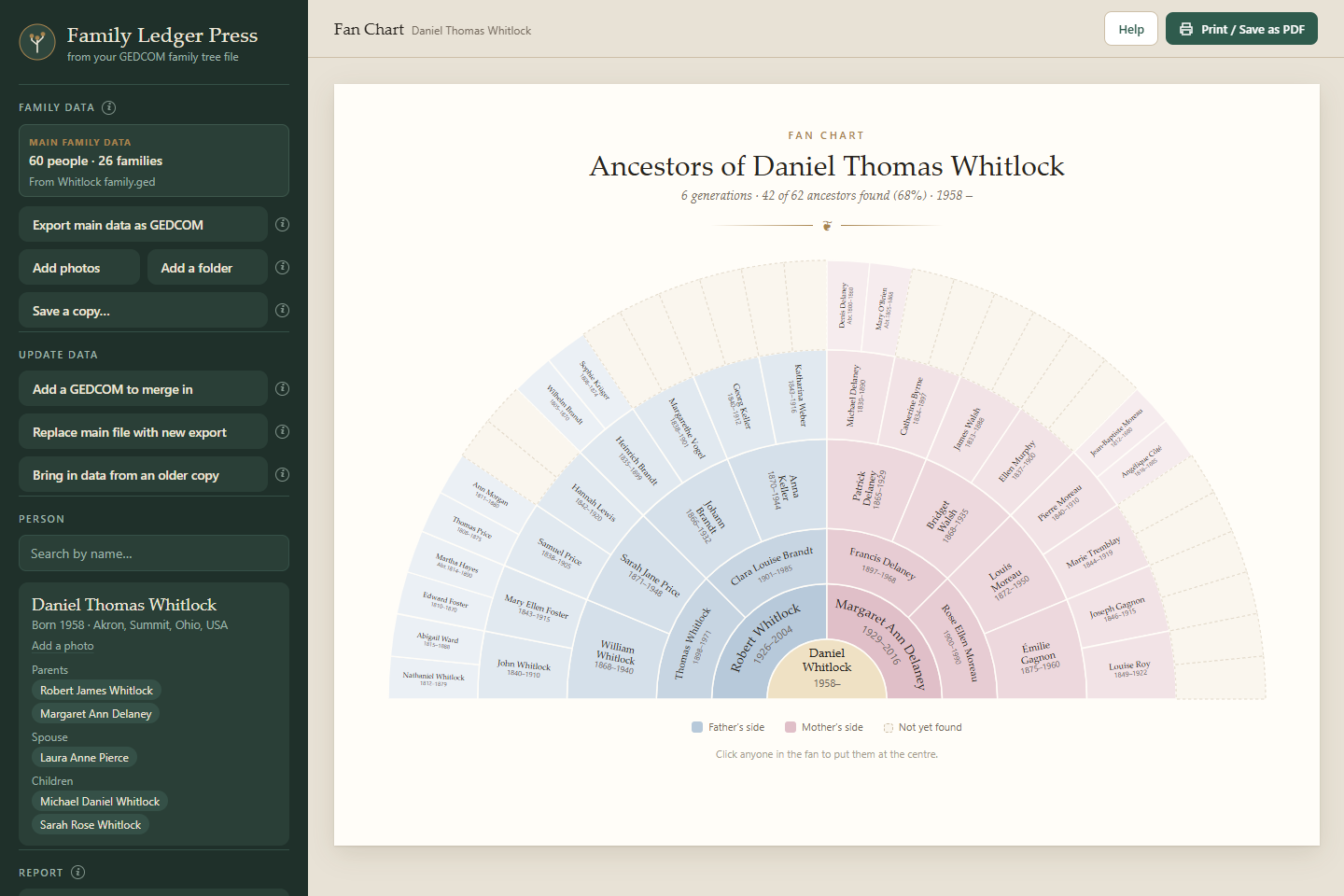
Family Ledger Press showing a six-generation fan chart of a made-up family, with father's side in blue and mother's side in rose

The reports

Five reports, each one ready to print

Choose a person, choose a report. Cleanly print or save as a PDF to email to the family.

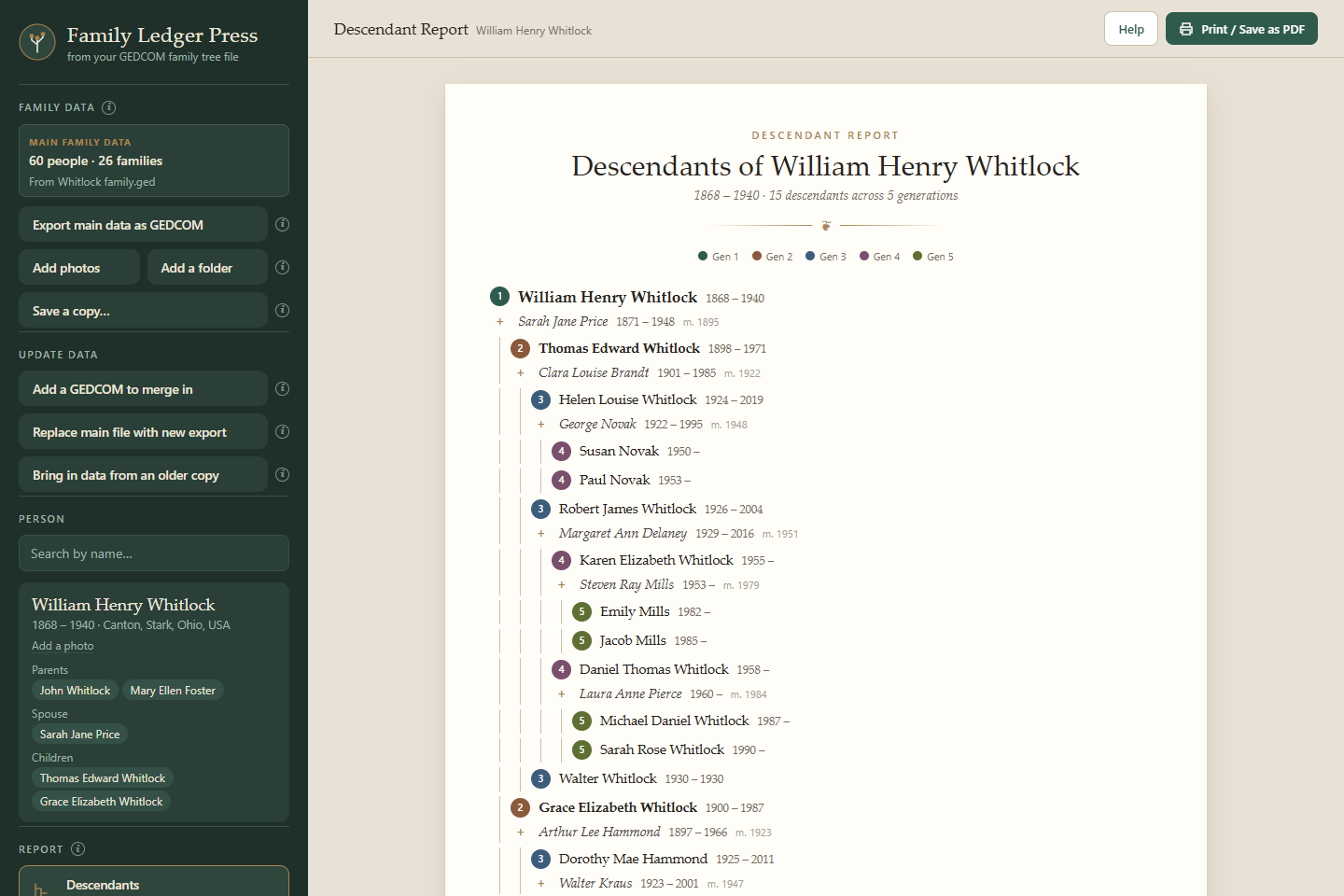
Descendant report for William Henry Whitlock, five generations with spouses and marriage years

Shown with a made-up family.

Merge and verify

Add in a relative's tree without losing your own

Import a new GEDCOM, from a relative or an older export of your own, and Family Ledger Press matches people by name, dates and family connections.

  1. 1
    New people and missing facts are addedAnyone missing from your tree and blanks the imported tree can fill in.
  2. 2
    Differences wait for youWhere the trees disagree, nothing in your data changes until it is confirmed by you.
  3. 3
    Take the results anywhereExport everything as a GEDCOM or download a list of corrections to replicate in your ancestry program of choice.
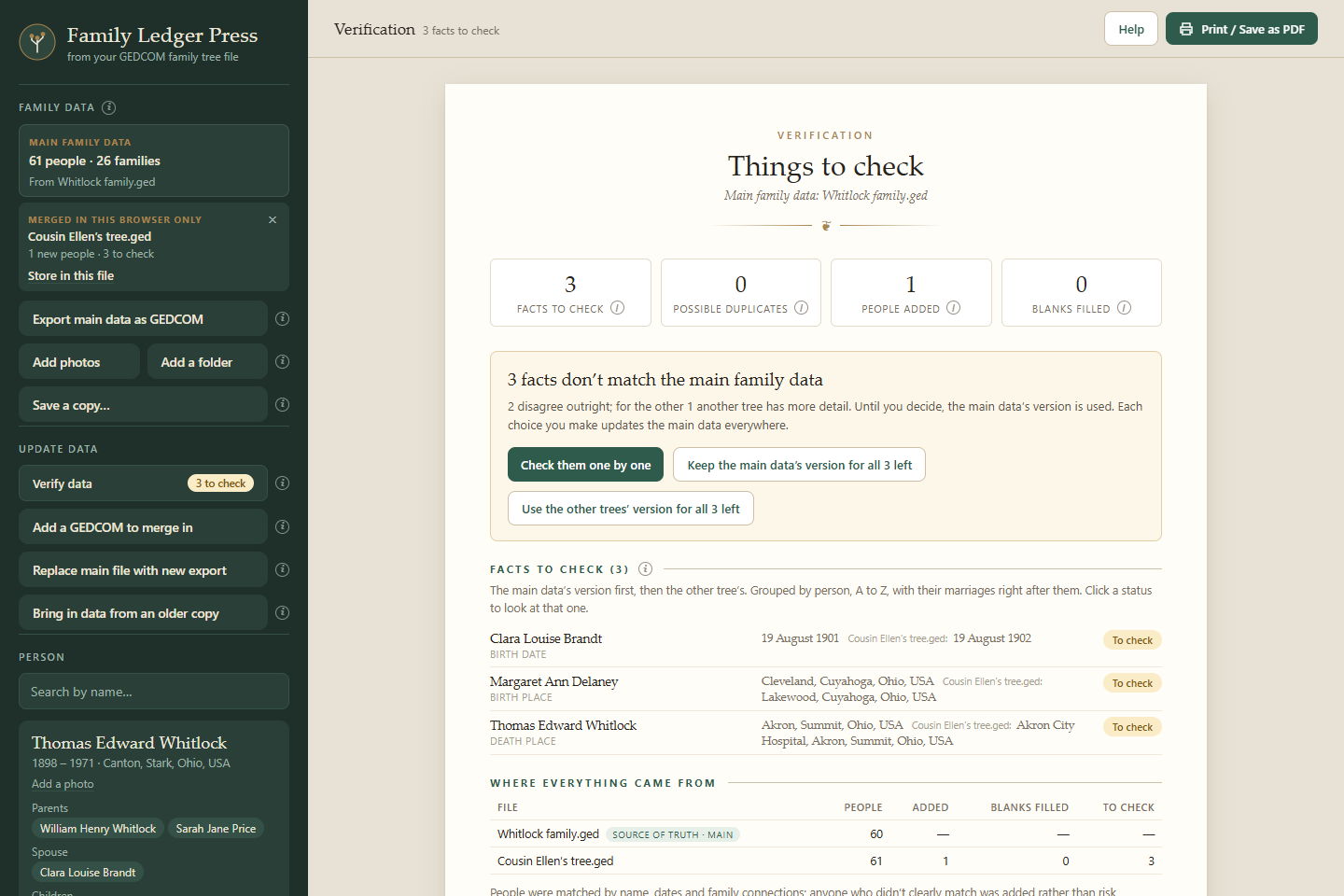
Verification summary: three facts to check and one person added from a second tree
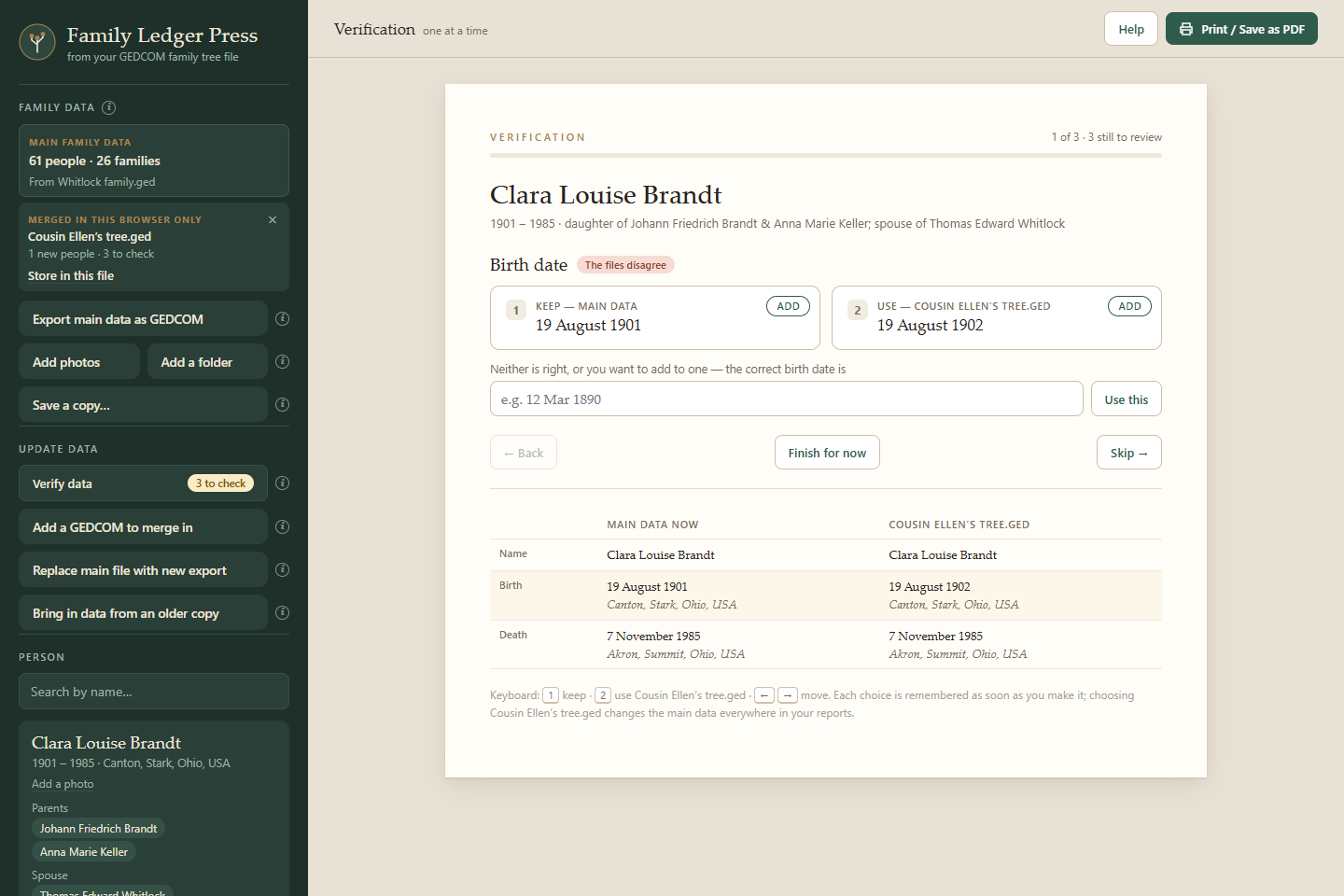
Checking one fact: Clara Louise Brandt's birth date is 19 August 1901 in the main data and 19 August 1902 in the other tree

Made for your family's records

Private, simple, and yours to keep

Your data stays home

Family Ledger Press is a single file that opens in your browser. There's no account and no upload, so details of living relatives never leave your computer.

One file, any computer

Store your tree in the file and it carries your family with it. Copy it to a USB stick or a new computer and it opens just the same.

Works with what you have

Opens the GEDCOM from Ancestry, MyHeritage, Family Tree Maker, RootsMagic and most other family tree programs, whether it downloads as a .ged or a .zip.

Places tidied up

Place names are written out in one consistent style, with state names and countries spelled the same way across every report.

Prepared by you

Add your name and address once and it prints at the bottom of every family group sheet.

Fix mistakes on the sheet

Spot a wrong date or a missing child? Correct facts and family links right on the family group sheet. Your corrections show in every report and go into your GEDCOM export.

One price, no subscription

Get Family Ledger Press

$29 one-time
  • All five reports, printable or as PDF
  • Merge and verify other trees
  • Correct facts and family links on the sheet
  • Hide living people when you share
  • GEDCOM export of your updated data
  • Free updates to version 1
  • Licensed for your household's computers
  • 30-day money-back guarantee
Buy now

Instant download, ready to use right away. Your license key follows by email, usually within a few hours. Best in Google Chrome or Microsoft Edge on Windows or Mac.

Questions

Before you buy

Do I need an Ancestry subscription?

No. Family Ledger Press works with any GEDCOM file, the standard format every major family tree program can export.

How do I get my file from Ancestry?

Open your tree, choose Tree Settings, then Export tree. When the export finishes, click Download your GEDCOM file, and open that file in Family Ledger Press.

Will it change my online tree?

No. Family Ledger Press only reads the file you export. Nothing is ever sent back to Ancestry or anywhere else.

I keep updating my tree on Ancestry. Do I start over?

No. Export your tree again and choose Replace main file with new export. Everyone is matched to the people already there, so your photos, corrections and choices stay with them, and you see what changes before anything is saved.

What do I need to run it?

A Windows or Mac computer with Google Chrome or Microsoft Edge. There's nothing to install. You double-click the file and it opens in your browser.

Can I share the reports?

Yes. The reports, PDFs and GEDCOM files you make are yours to share with anyone. The program itself is licensed to your household, so other family members need their own copy. Before printing to share, turn on Hide living people: anyone who may still be alive shows as “Living,” with no dates or details.

What if it's not right for me?

Email us within 30 days of buying and you'll get your money back, no questions asked. See the refund policy.

When do I get my license key?

Your download is ready as soon as you buy, and everything works right away. Your license key, which puts your name on your copy and your printouts, follows by email, usually within a few hours.

Are updates free?

Yes. Fixes and improvements to version 1 are free, and your family data comes along into each new version. If a future version adds major new features, owners of version 1 will be able to upgrade for a small fee.